 DA
Panopto for higher education
Home Video solution Panopto Higher education
Every lecture, searchable and reusable in your LMS
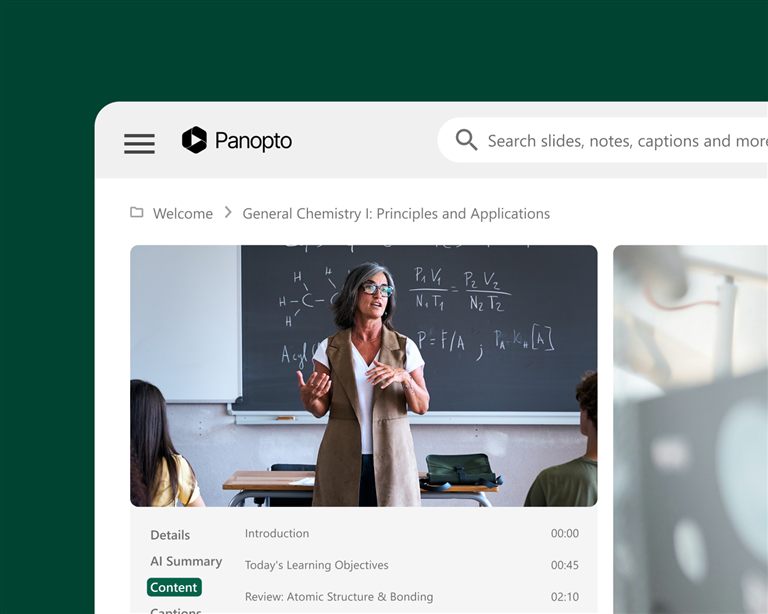
Panopto helps colleges and universities record lectures, make them searchable and deliver them through the LMS workflows students already use. It is secure and accessible video for the whole institution, built for roll-out across several campuses and for central management.
Viducon is the official Panopto partner in Denmark. We handle implementation, support and workshops in Danish for your institution, from the first demo through to daily use.

Serving every kind of higher education institution

Universities
Scale up lecture capture, keep control of course video and keep it inside the LMS.

Community colleges
Use video in the same way across every campus, with accessibility and permissions built in.

Online programmes
Offer accessible, scalable course video without extra production or support work.
What institutions achieve with Panopto
students reported better grades
University of Washington
lower production costs
Kazakh-British Technical University
students improved knowledge retention
Butler University
more video adoption thanks to ease of use
Northeastern University
Figures from Panopto customer case studies.
Purpose-built for higher education
Give students the flexibility to learn on their terms
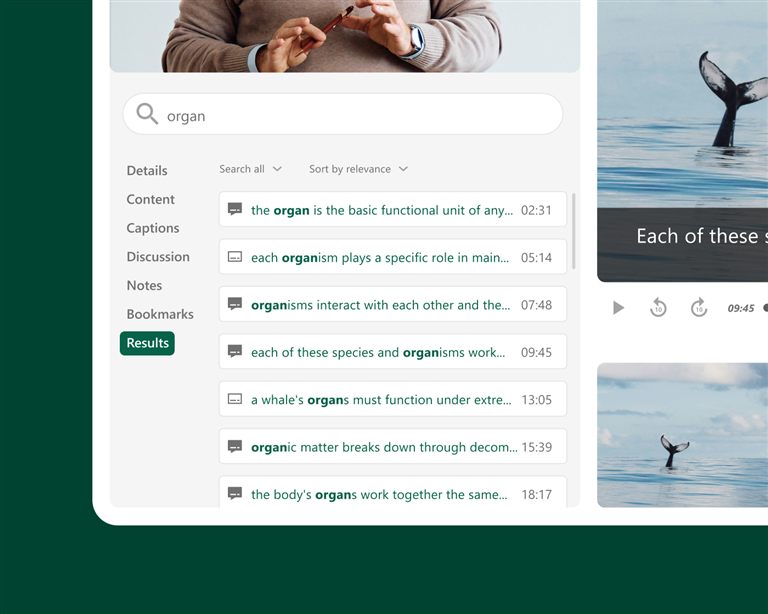
When students can go back to a lecture, search for a particular explanation or go through a difficult concept before an exam, learning goes beyond the classroom. Panopto turns every recorded session into material that can be searched and watched on demand, published automatically in the LMS with no extra steps for teachers.
Built for campus-wide and multi-campus rollouts
Panopto can grow from one department to a whole university across several campuses. Central administration gives IT one place to manage users, storage and governance, so every faculty, department and campus works on the same secure and consistent platform. It is built to grow with your institution, not just to cover a first pilot.
Keep your students learning where they already are: in your LMS
Panopto works with Canvas, Blackboard, Moodle, D2L Brightspace and other major LMS platforms through LTI, and supports single sign-on. Students and teachers can watch and upload recordings without leaving the course. Search, quizzes and statistics all work inside the LMS, without extra logins or separate portals.
Make every recording accessible from the moment it's published
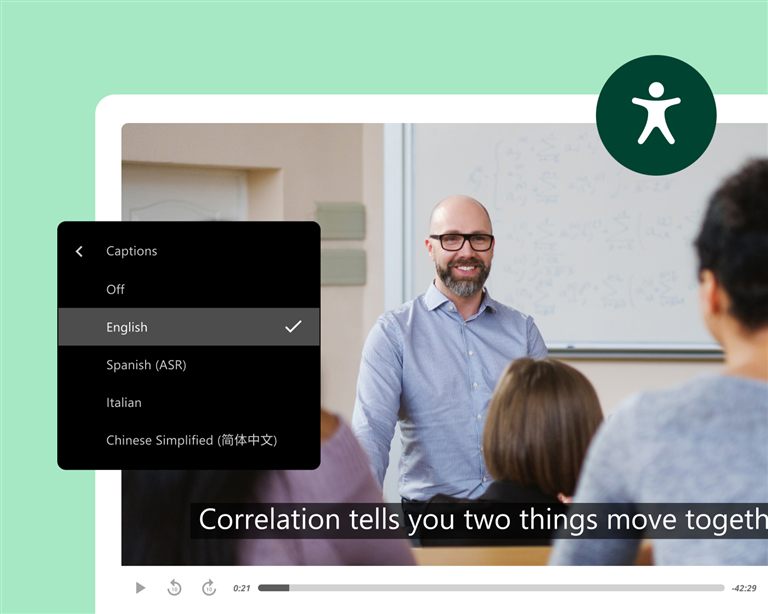
Panopto creates captions and transcripts for every recording automatically, accurately and at scale, without extra work for teachers or learning designers. Every video has keyboard navigation and accessible playback, with variable speed and support for screen readers. This helps institutions that are working towards ADA Title II and WCAG-aligned accessibility, and captioning options that meet Section 508 are included.
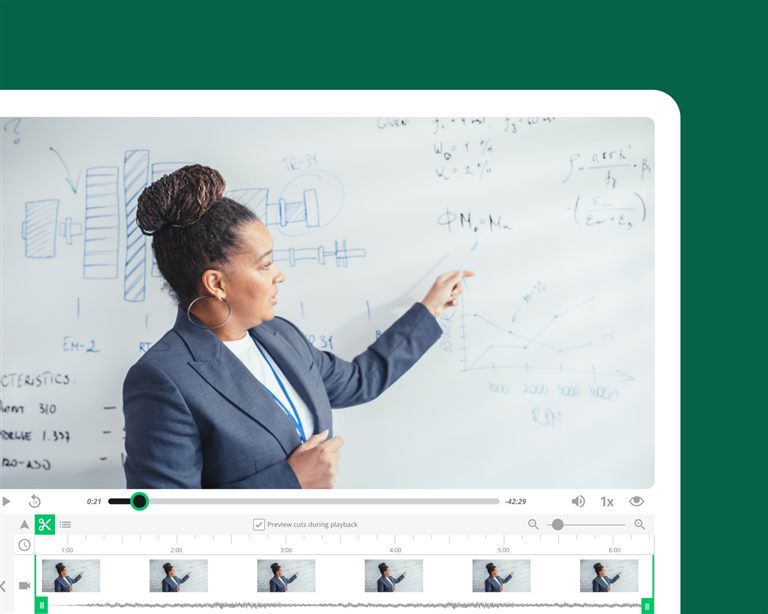
Record once and build a library that teaches every term
Teachers who record the basic lectures in Panopto can reuse them across classes, semesters and course formats without recording again. Scheduling, LMS integration and automatic publishing remove the effort of recording, so teachers spend less time on logistics and more on teaching.
AI-powered search, captions and study support
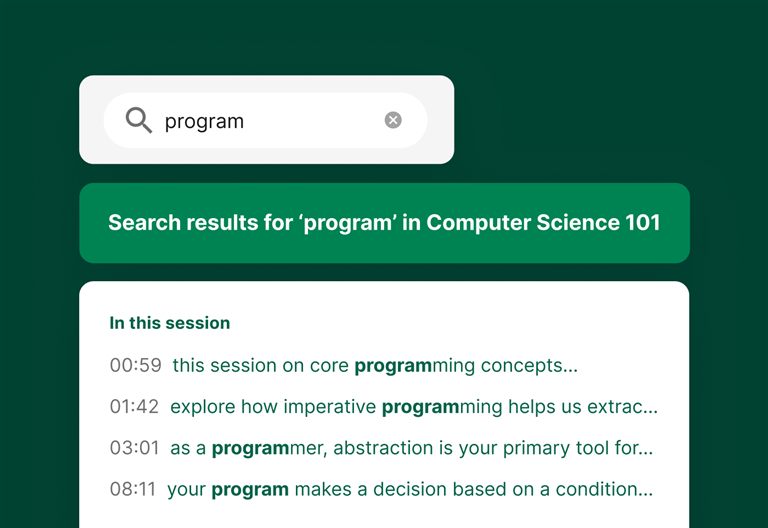
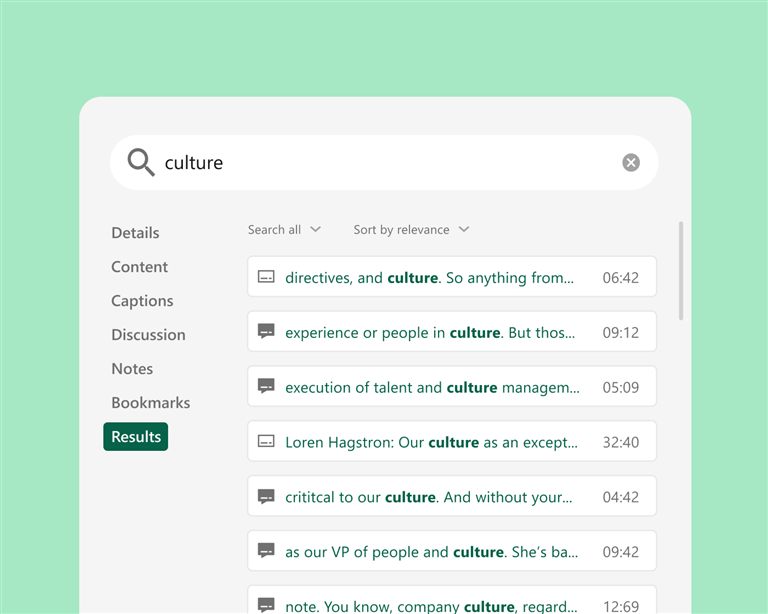
Panopto captions and transcribes every recording automatically. Smart Search indexes what is said, text on screen and slides, so students can go straight to the place where a concept is covered. Chapters are created automatically and divide long lectures into parts that are easy to scan, built on the teachers' own course videos, which students trust.

Turn your video library into the AI study partner students can trust
Students already save time and get better grades with course video, but the external AI tools many of them use know nothing about what their teacher taught, and that is where trust breaks down. When curated AI is based on the teachers' own videos, students get a learning experience they can trust and interact with.
Read the summary (in Danish) and get the report (in English)
of students already use AI to study
Panopto research report
of students estimate that video-based learning improves their grades by six percentage points or more
Panopto research report
of students with integrated AI find it very or extremely valuable
Panopto research report
Integrate with your existing systems
Panopto is built to fit into the systems you already have, not to replace them. Close integrations with your LMS, collaboration tools and classroom AV systems mean Panopto works the way your campus already does.

Canvas by Instructure
Learning management system

Moodle
Learning management system
D2L Brightspace
Learning management system
Zoom
Collaboration
Microsoft Teams
Collaboration
How leading institutions use Panopto
Lecture capture
Make every lecture a searchable resource that students can use throughout the course, published to the LMS automatically with no extra steps for teachers.
Learn more →Hybrid learning
Give students in the room and online equal access to every session. Stream HyFlex classes live, and have each recording captioned and ready in the LMS as soon as the class ends.
Learn more →Active learning
Build quizzes, discussions and student videos into the course content, so students work actively with the material and teachers can see how it lands before the exam.
Learn more →Frequently asked questions about Panopto for higher education
How does Panopto integrate with our LMS?
Panopto works with Canvas, Blackboard, Moodle, D2L Brightspace and other major LMS platforms through LTI. It is embedded in the course, so students and teachers reach video without leaving the system they already use. Recordings are published automatically, and viewing is registered in the LMS alongside other completion data.
How does Panopto handle accessibility and captioning at scale?
Panopto creates captions and transcripts automatically for every recording with built-in speech recognition. The captions work across accents, subjects and languages, and teachers don't have to send content off for manual captioning. If a recording needs better accuracy, the captions can be checked and edited directly in the platform. Accessibility becomes a routine for the institution rather than a task for each individual.
Can teachers reuse recordings across sections and semesters?
Yes. Recordings are kept in a library with clear rules and can be shared across course sections, copied into future courses or republished when needed, without duplicating files or uploading again. Teachers build up their own library of reusable content over time, and the LMS integration makes sure new students only see what they are meant to see.
How does Panopto support hybrid learning?
Panopto gives students in the room and online equal access to every session. Recordings get captions and an index, and are published to the LMS as soon as a class ends, so students who attended in person, joined online or missed the session all have the same learning resource. There are no separate workflows and no gaps in access.
Can students use Panopto for their own video assignments?
Yes. Students can record presentations, demonstrations and video assignments directly in Panopto and hand them in through the LMS for the teacher to assess. With peer review, teachers can set up structured feedback between students, all in a controlled environment that doesn't depend on a collection of separate tools.
How does video search work for students?
Panopto's search indexes every spoken word, slide and element on screen in each recording, using speech recognition and text recognition (OCR). Students search for a term, a concept or a phrase and go directly to the exact moment across the whole course library, instead of watching a full lecture again to find what they need.
Can we migrate our existing video library to Panopto?
Yes. Panopto supports migration from other video platforms and from the institution's own storage, in a structured process that includes checking of content, re-linking and restoring or adding captions. A dedicated project team runs the migration with weekly milestones, and Panopto keeps the old and new systems running side by side so content stays available throughout the transition. Panopto states that it has never missed a customer go-live, based on its own delivery records.
Can Panopto support university-wide or multi-campus deployments?
Yes. Panopto is used by institutions of all sizes, from single-campus colleges to large universities with many campuses. Central administration and detailed access control let institutions use video in the same way across faculties, departments and campuses. Large research and state universities such as the University of Washington, Yale, Cornell, NC State, UNLV and Northeastern use it.
How does Panopto handle security, SSO and compliance?
Panopto supports single sign-on through SAML, OAuth and Active Directory, so students and teachers log in with the credentials they already have. Detailed access control lets IT decide who can see, edit or manage content, down to the individual video. Data is encrypted at rest and in transit, and Panopto is FERPA-ready and supports GDPR requirements.
What analytics are available for institutions and instructors?
Panopto provides statistics on viewing and engagement at the level of the video, the course and the library, including completion rates, where viewers stop and overall use. Teachers can see how students engage with a particular recording, and administrators can get deeper trend analysis through Knowledge Insights, an extra analytics dashboard.
Ready to get started?
See how Panopto can help your institution improve student success, support teachers' workflows and build a video library that grows with your campus.