
 DA
DAHihaho
Home Interactive video Hihaho

Engage with interactive videos
A video where the only thing asked of the viewer is to press play is easy to tune out of. Hihaho builds interaction directly into the video, and for education that shows up as higher completion rates, better understanding of the material, and information that actually sticks after the video ends.
Hihaho works with the video platforms you may already use, such as Panopto, Qumu, YouTube and Vimeo, so existing lecture and training material can be made interactive without starting from scratch.
Adding interaction gives the viewer something to do instead of only watching, which in practice tends to mean that more of the content gets through.
Viducon is the official hihaho partner in Denmark. We handle implementation, support and workshops for your organisation, from the first demo through to daily use.

What can you do with hihaho?
Hihaho fits a wide range of educational video: a recorded lecture that gets a quiz halfway through so students can't just let it play in the background, a practical training video where the viewer has to make a choice before continuing, or a video used for assessment or certification where the answers actually count toward a result.
Do-it-yourself with 17 interaction types
You add the interactivity yourself, no developer required. Tables of content, pop-up menus, buttons, hotspots, pause screens, questions, ratings, linked videos and forms can all be added directly to the video.
The hihaho AI Assistant
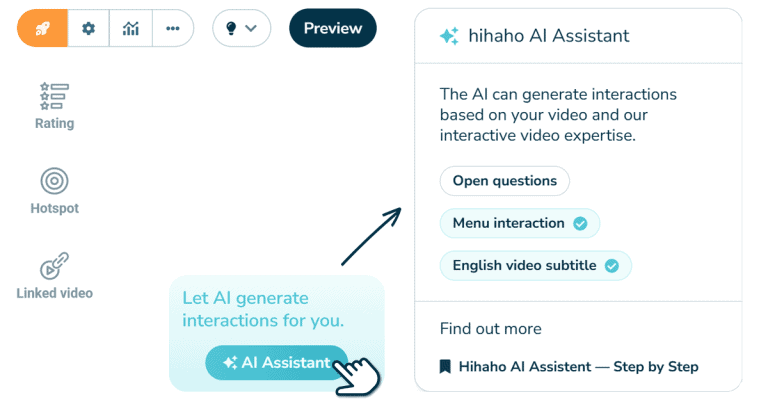
The AI Assistant brings hihaho's AI tools together in one place: generating a table of contents, creating subtitles in multiple languages, giving feedback on open-ended questions, or generating questions automatically.
You don't need any technical or AI skills to use it. Upload your video, pick the features you want, and the AI Assistant takes care of the rest.
Copy and paste interactions
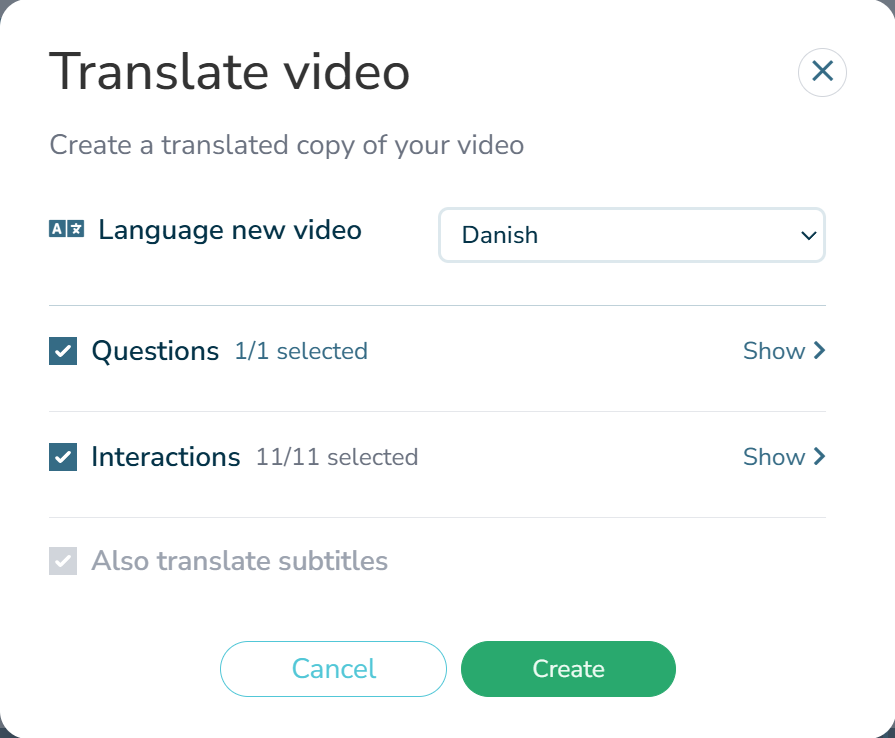
Once a set of interactions is built, you don’t have to start over for the next version. Copy and paste them into a new video, then adjust what's different: a simpler quiz for beginners, a harder one for advanced learners, or the same structure carried over into a video in another language.
Reusing interactions saves time while improving accessibility and learning outcomes. You can easily create a fully translated version of an interactive video, making content more accessible for learners in their own language, or build different versions of the same video with alternative wording or questions tailored to different skill levels – adapting the learning experience to individual needs without recreating interactions from scratch.
Video platform integrations
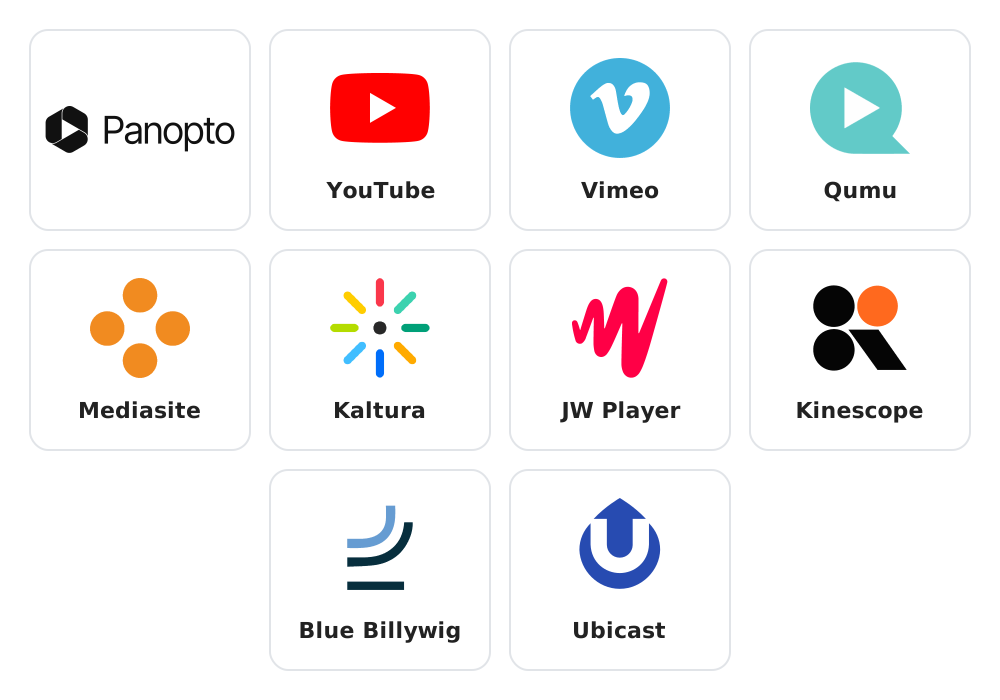
Hihaho has integrations with video platforms such as Panopto, YouTube, Qumu, Mediasite, Vimeo, and many more. Therefore you can easily turn videos you uploaded on one of these platforms in the past to interactive videos in hihaho. Don’t have videos uploaded on these platforms yet? No problem. You can also directly upload your videos to hihaho.
Creating videos with layers
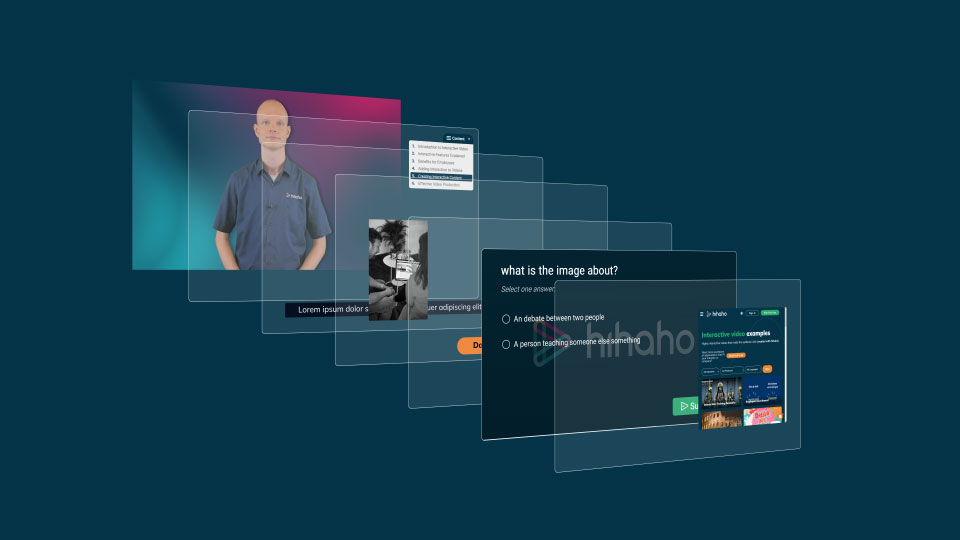
Hihaho places a separate interactive layer on top of your linear video, which is what makes reuse possible in the first place. A few of the things that opens up:
- Organize your interactions on the video's timeline instead of hunting through the footage.
- Build a beginner and an advanced version of the same video by swapping which interactions are active, without re-adding anything.
- Enable or disable a layer with one click, without deleting the work behind it.
- Keep all visible text in the interactive layer, so turning the video into another language, with hihaho's AI features to help, doesn't mean touching the footage itself.
Publishing and sharing your video
A published video isn't fixed in place. If a quiz answer needs correcting, a slide is outdated, or a new example comes up, you edit it once in hihaho and the update reaches every place the video is embedded straight away, without re-uploading or re-sharing anything.
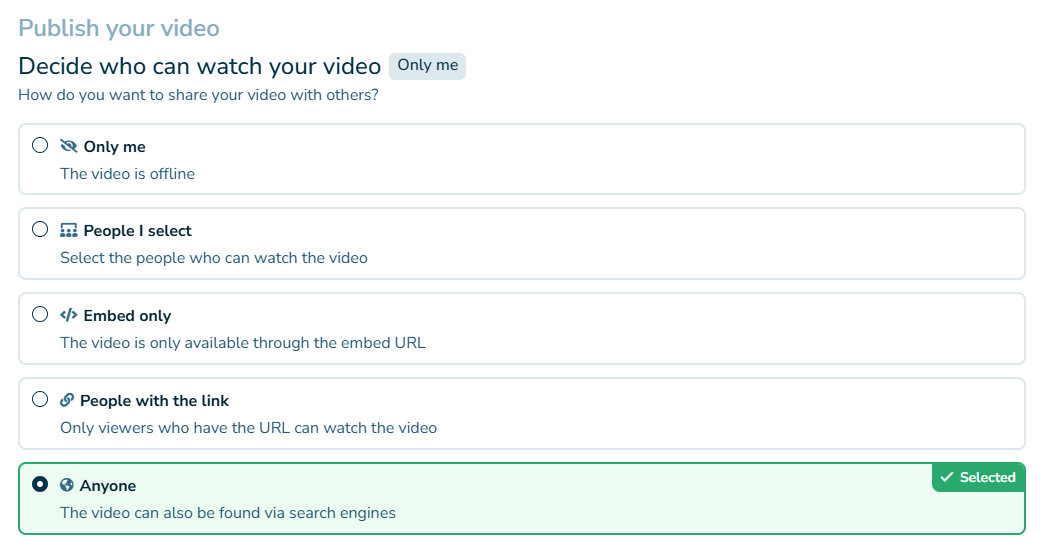
Interactive videos can also be shared in multiple ways. For example, you can choose to publicly share your interactive video for everyone to see, so you can get as many views as possible. However, if you want to share your video with a select group, there are several ways to do so.
- Only the people that receive the video URL from you are able to watch the video.
- The video can only be embedded and displayed on a certain webpage.
- The video can be displayed in an LMS by using a SCORM package or xAPI.
Secure embed
Interactive videos created in hihaho can be securely embedded on a website. Because the video lives in hihaho rather than being copied onto each page, one edit updates it everywhere it's embedded, on every channel, at the same time. Embedding can also be locked down so it only works on a certain webpage. It’s also possible to grant access to videos after the viewer completes a payment, by hosting them on a seperate domain.
Your own visual branding
Your hihaho player can be customized with colors and fonts of your branding. This way, the question interactions, interactive menus and the player itself will be displayed in your visual branding.
Who is hihaho?
Hihaho is a Dutch SaaS software company, founded in 2014, based in Assen in the Netherlands. The company has partnerships all over the world, at Viducon we represent hihaho in Denmark and Sweden. The company has been very successful in developing the innovative “do-it-yourself” SaaS software (hihaho) to create and distribute interactive videos for the purpose of engaging viewers. Hihaho wants to make creating interactive videos accessible to anyone, worldwide. Their employees are passionate about video, learning and interactive solutions for e-learning.

Universities and healthcare organisations use hihaho
The use of interactive video for teaching and training is becoming more and more widespread. Hihaho is a global do-it-yourself SaaS platform for creating interactive videos, used by universities and healthcare institutions including University of Colorado Boulder, Open University of the Netherlands and University Medical Center Groningen, among others.
Enjoy the video ‘How hihaho is shaping AI-powered video learning through learning design expertise’ with hihaho’s Stefan Drenth.
Frequently Asked Questions about hihaho
What is hihaho?
Hihaho is a cloud-based platform for interactive videos that lets you add quizzes, polls, clickable elements and forms directly into your videos.
Who uses hihaho?
Hihaho is used by companies, educational institutions and organisations that want to increase engagement in e-learning, onboarding and training videos.
What is the difference between hihaho and regular videos?
With hihaho, videos become interactive — viewers can answer questions, click elements and navigate content, which gives them more to engage with than a passive video.
Can hihaho be integrated with other systems?
Yes, hihaho integrates with LMS platforms such as D2L Brightspace, Moodle and Canvas, as well as SCORM and xAPI standards for tracking and reporting.
Read more about hihaho
Hihaho is the interactive video platform we work with. These pages show what it can do and what it costs.
– Five problems that hihaho solves
– Hihaho at Viducon's Conference 2026
– Hihaho ressources (in Danish)